SwingKey
Updated: August 21, 2026
SwingKey takes a video of your golf swing and finds the ten positions coaches actually talk about — address, shaft parallel, lead arm parallel, the top, impact, and the rest — then exports them as full-resolution stills and a labelled contact sheet you can study, share, or send to your instructor.
At a glance:
- Drop in a video, get P1 through P10 — no scrubbing, no guessing at timestamps
- Finds the swing inside a long clip on its own; no need to trim first
- Impact located from the sound of the strike, which is far more precise than the eye
- Every position tells you how it was found, so you know what to trust
- Correct any frame with the arrow keys, and the export follows your corrections
- Exports the ten stills, a labelled contact sheet, or both
- Runs entirely on your Mac. Nothing is uploaded, nothing leaves the machine
The beta is open — join on TestFlight and you’ll be up and running in a couple of minutes. No invite needed.
SwingKey is a Mac app, so it installs through the TestFlight app for Mac rather than the iPhone one — get TestFlight from the Mac App Store first if you don’t have it. Needs macOS 14 or later.
Ten positions, found automatically
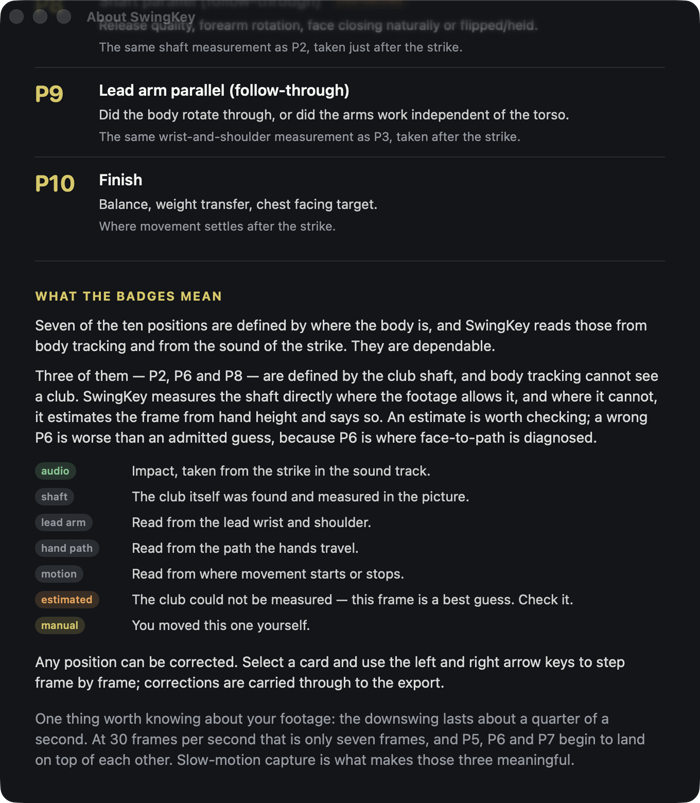
Drop in a clip and SwingKey works through it frame by frame, then lays out P1 to P10 side by side. Each card tells you which frame it chose and how it found it — impact heard in the audio, the club measured in the picture, or a position read from the body. Anything it had to guess is labelled, so you always know which frames to trust.
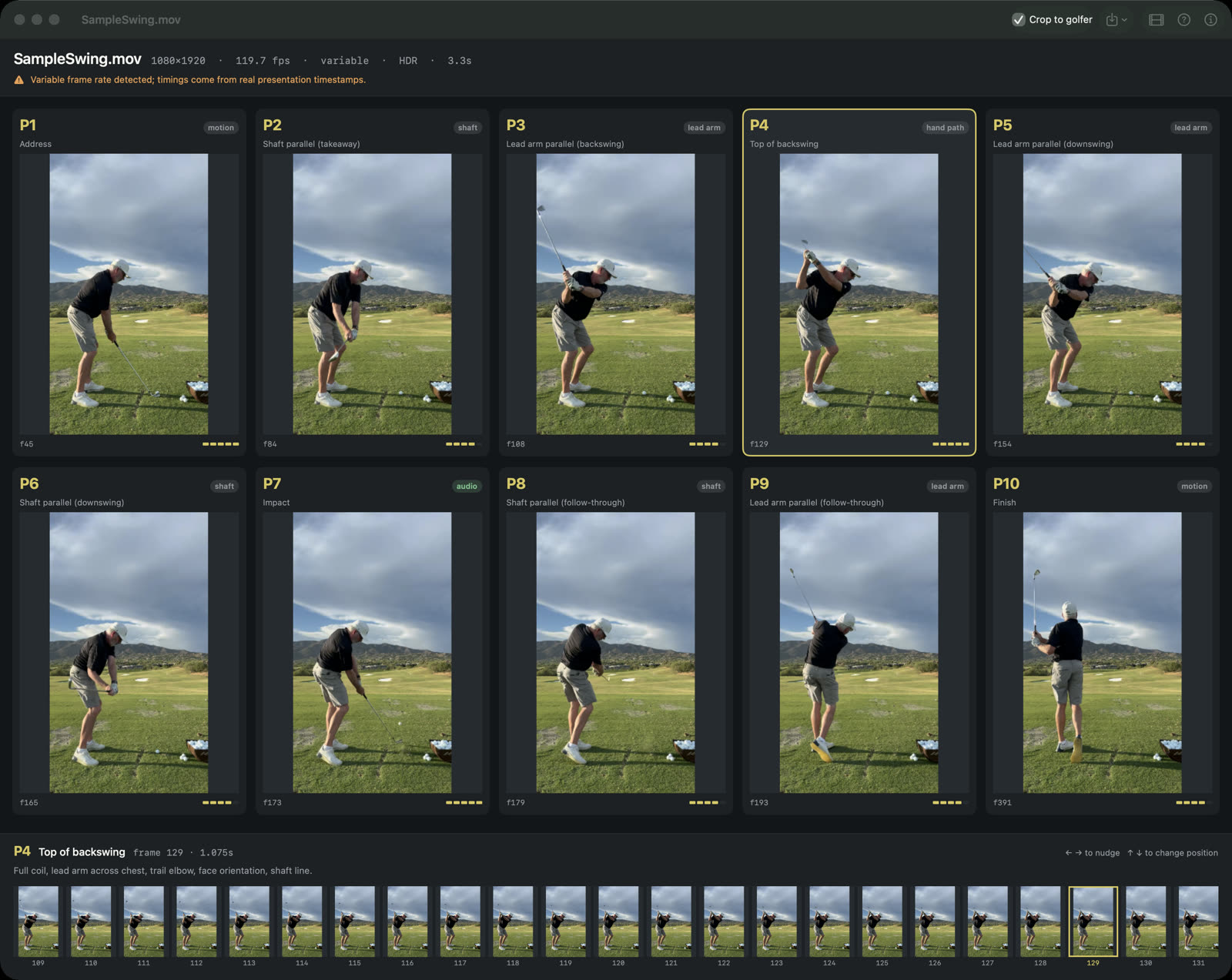
Correct anything in a couple of keystrokes
Select a position and step through the neighbouring frames with the arrow keys. The filmstrip along the bottom makes an error obvious at a glance, and whatever you choose is what gets exported.
A contact sheet worth sending
Export the ten stills on their own, or a labelled P1–P10 sheet you can study, print, or text to your coach. SwingKey crops every frame to the same rectangle so the golfer stays in one place from position to position — and it measures where the club actually is, so the shaft and clubhead are never cut off.
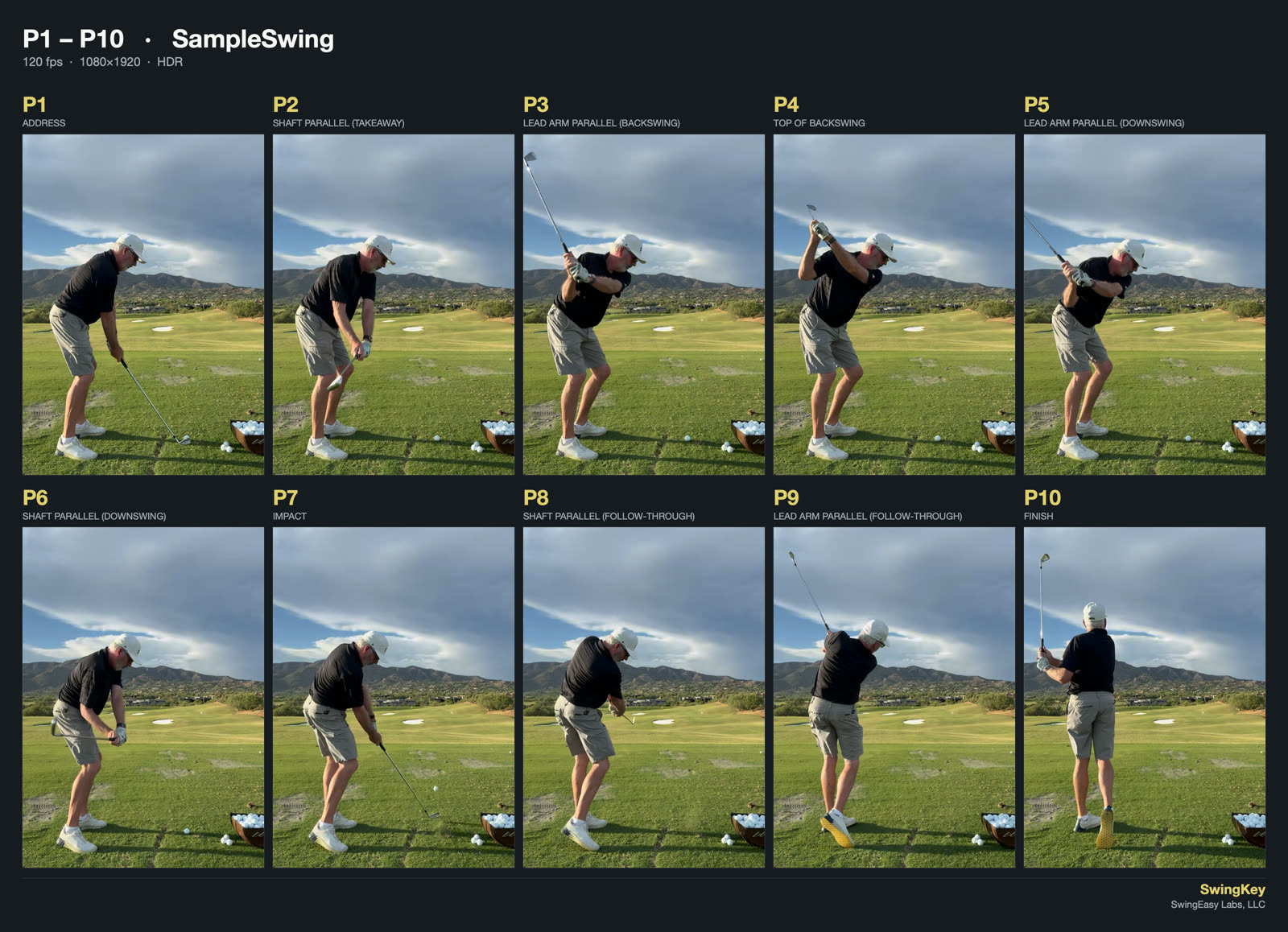
Built around the P-System
The P-System breaks the swing into ten checkpoints so it can be compared position by position instead of judged as one continuous blur. It is the golf-instruction equivalent of a storyboard: freeze the video at each checkpoint, look at what the body and the club are doing, and a fault can be traced back to where it starts rather than described by the symptom it produces at the ball.
Pulling those ten frames by hand means scrubbing a 120-frames-per-second video and eyeballing timestamps. SwingKey does it in one pass — and explains what each position is for, if you want the refresher.
Shot on an iPhone
Drop in an iPhone .MOV and it works — including HDR, slow motion, and clips whose frame
rate changes partway through. For the sharpest results, film at 1080p and 120 frames per
second rather than 4K: the downswing lasts about a quarter of a second, and it is frame
rate, not resolution, that decides whether the positions through impact are distinct.
No video to hand? There is a sample swing built in, so you can see what it does before you film anything.
Private by design
Your video, the frames and your corrections stay on your Mac. No accounts, no analytics, nothing uploaded. The only thing that leaves is a clip’s location, sent to Apple’s Maps service so exports can be named after the course you were playing — nothing is stored and nothing comes to us.
In beta now. Coming to the Mac App Store.