SwingEasy Loop
Updated: September 10, 2026
SwingEasy Loop keeps your golf group’s handicaps up to date, right on your phone. See everyone’s current index at a glance, check who’s playing hot this week, and share your whole roster with a friend in one tap — no spreadsheets, no asking around, no stale numbers on game day.
At a glance:
- Your whole group’s handicaps, updated automatically every morning
- A daily briefing: who beat their handicap yesterday, whose index moved, who posted scores
- Who’s Hot — everyone who played to their handicap this week, with one-tap congratulations
- The Scouting Report (Pro): any golfer’s ten best rounds ever, last 20 scores, and career low
- Share your group three ways — golfers arrive on a friend’s phone already linked, handicaps and all
- Private by design: no accounts, no servers, no tracking
SwingEasy Loop is in development and not currently available. Keeping a group’s handicaps current means working with official handicap data, and doing that in a released app requires formal authorization from the USGA. We’re pursuing it through their approved program. The app will return when that’s in place.
Start every day with Today
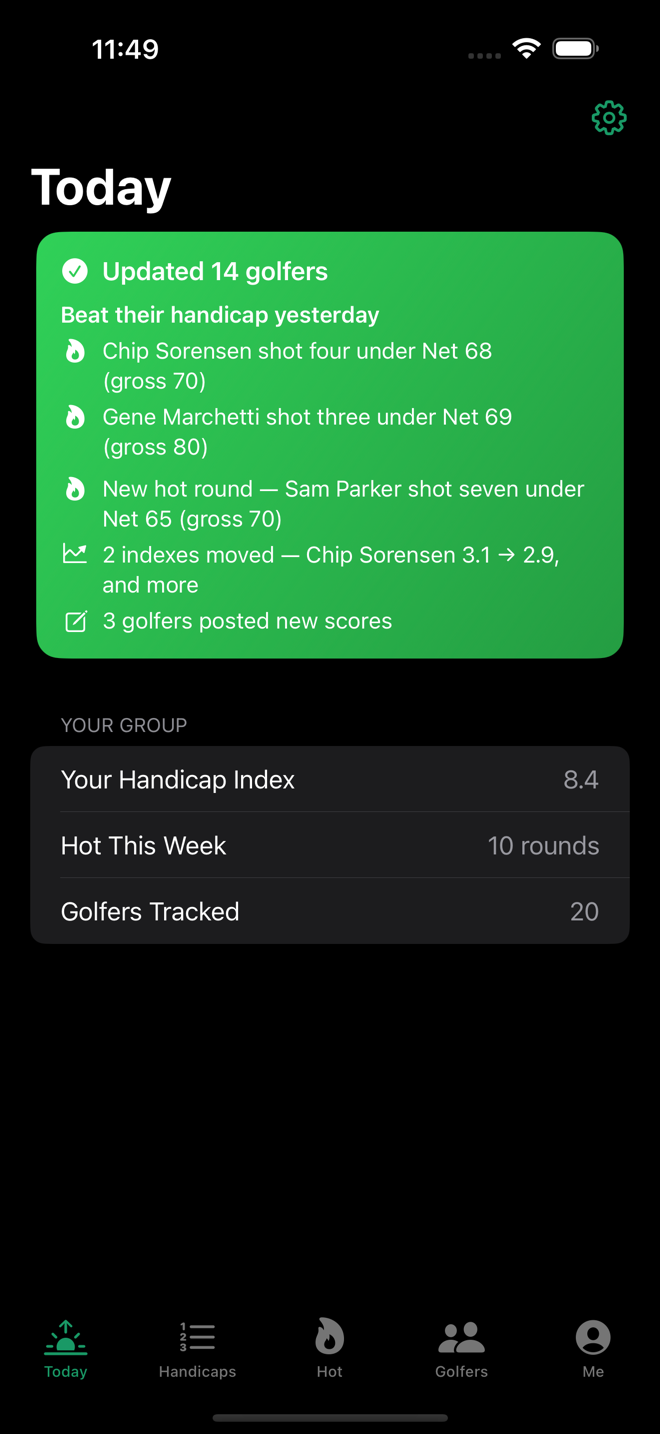
The first thing you see when you open the app — and the app has already done the work. Every morning it updates your whole group automatically and tells you what happened: who beat their handicap yesterday, whose index moved, who posted new scores. Open it with your coffee and you’re caught up before the first text of the day.
The Handicap Board
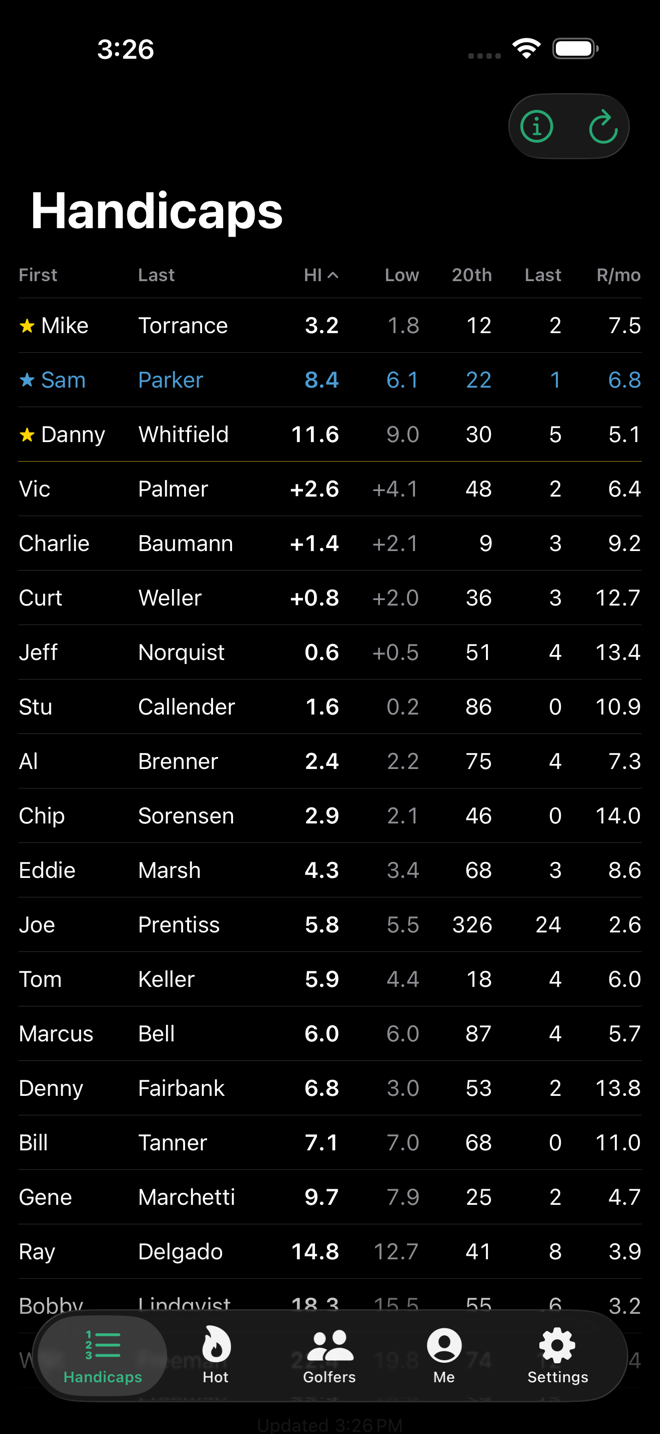
Every golfer’s Handicap Index, 12-month low, how recently they’ve posted, and how often they play — sortable at a glance. Your own row is highlighted; favorites float to the top.
Add golfers without typing
Connect your club handicap account once, then add golfers by looking them up — exact name, current index, and club come along automatically. Or import from Apple Contacts, or enter by hand.
Who’s hot
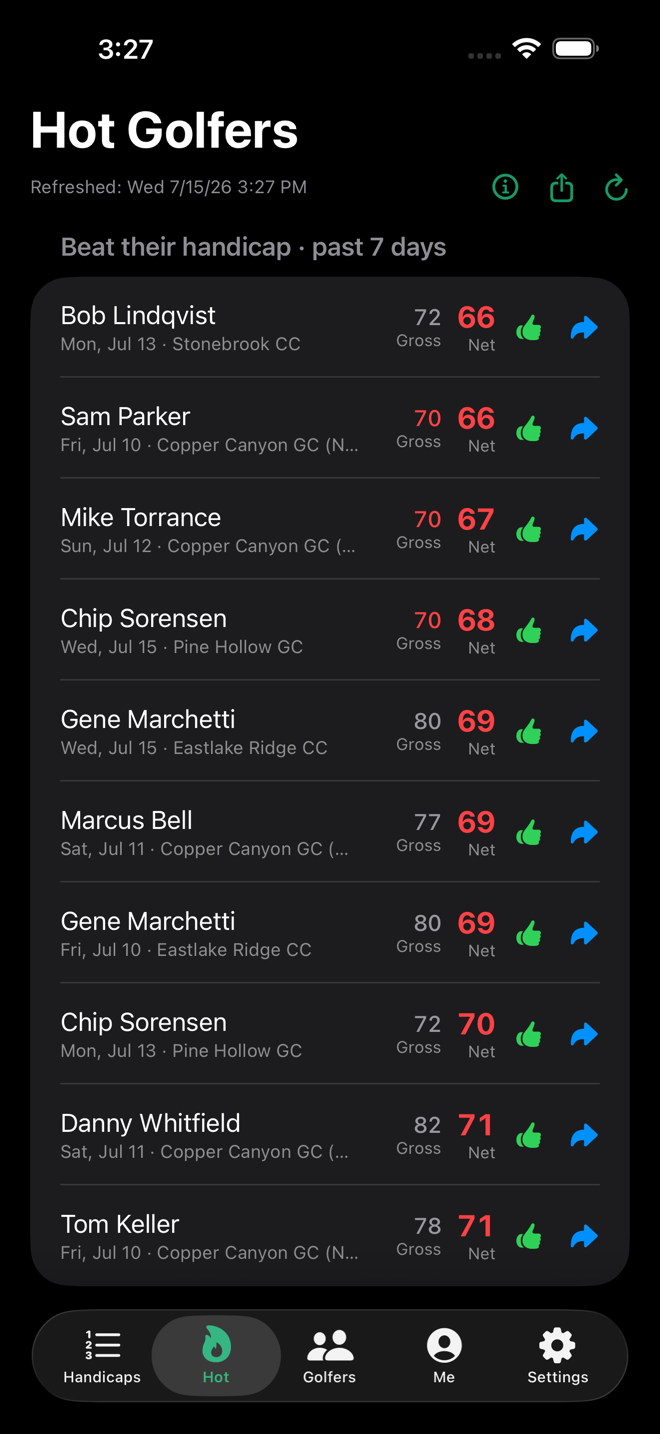
Everyone who beat their handicap in the past 7 days, gross and net. Send a one-tap congratulations text, forward a great round, or text the whole list to the group.
The full story of every round
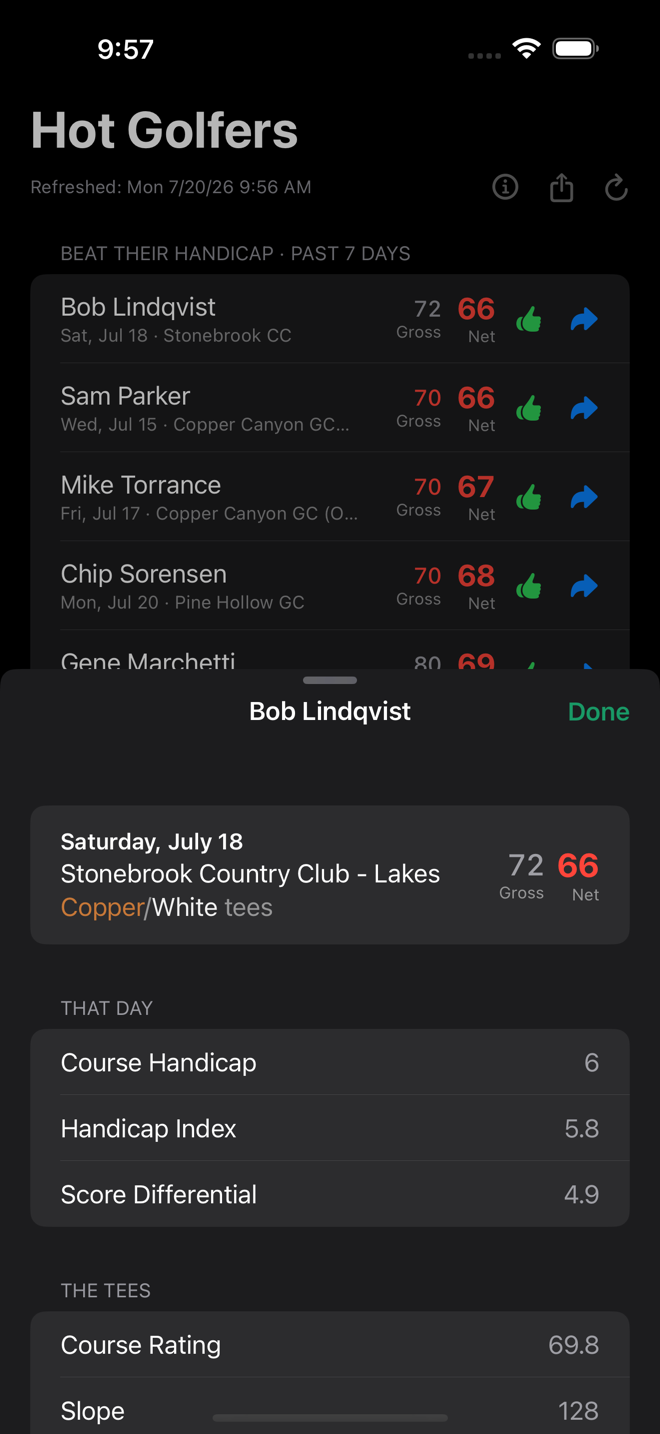
Tap any hot round to see it all: the complete course name, which tees they played — shown in the tee’s color — and the numbers behind the round: course handicap and Handicap Index as of that day, score differential, and the course rating and slope.
Share your group
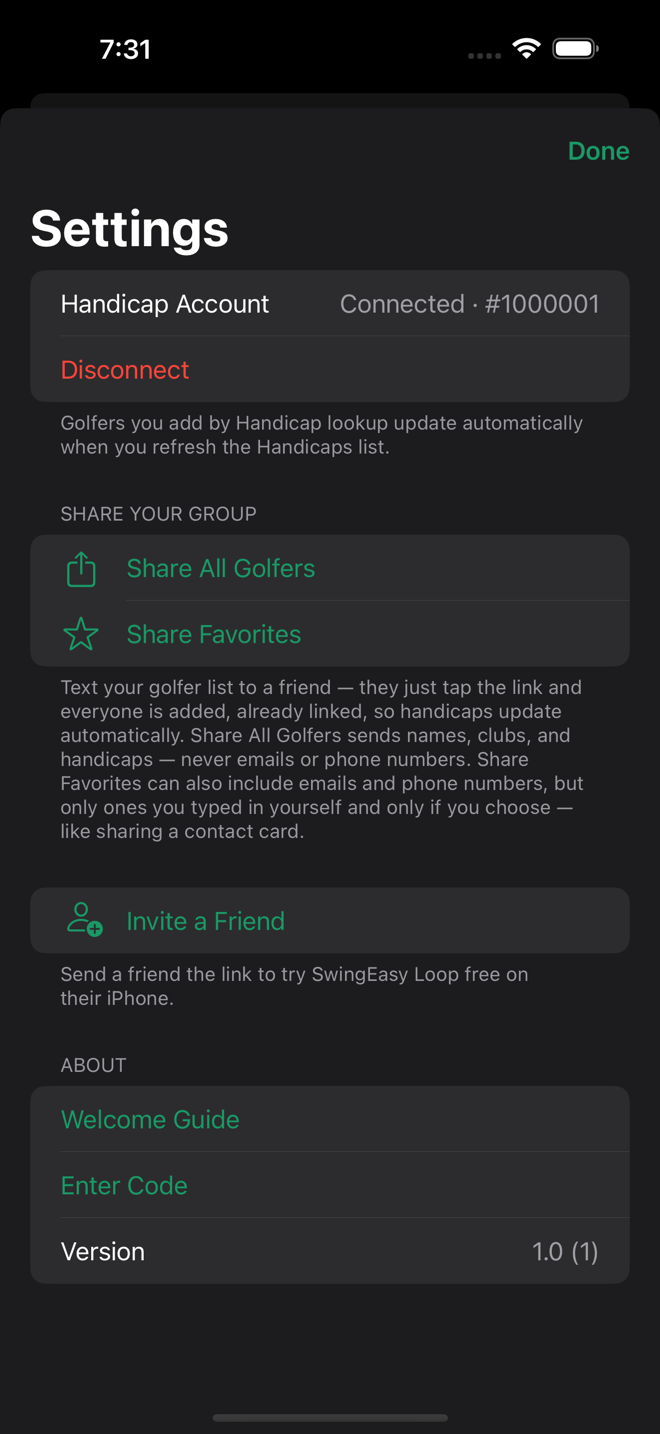
Text your golfer list to a friend; they tap the link and everyone loads into their app with handicaps attached — no setup, no typing. New members of the group are set up in seconds.
Three ways to send: Settings → Share All Golfers for the whole list, Share Favorites for just your regular group — or tap the share icon on any row of the Golfers list to send one golfer: “you should track this guy” is one tap, and a one-golfer link is short enough to survive any messaging app. Every way, the link carries the golf data: names, clubs, and handicaps.
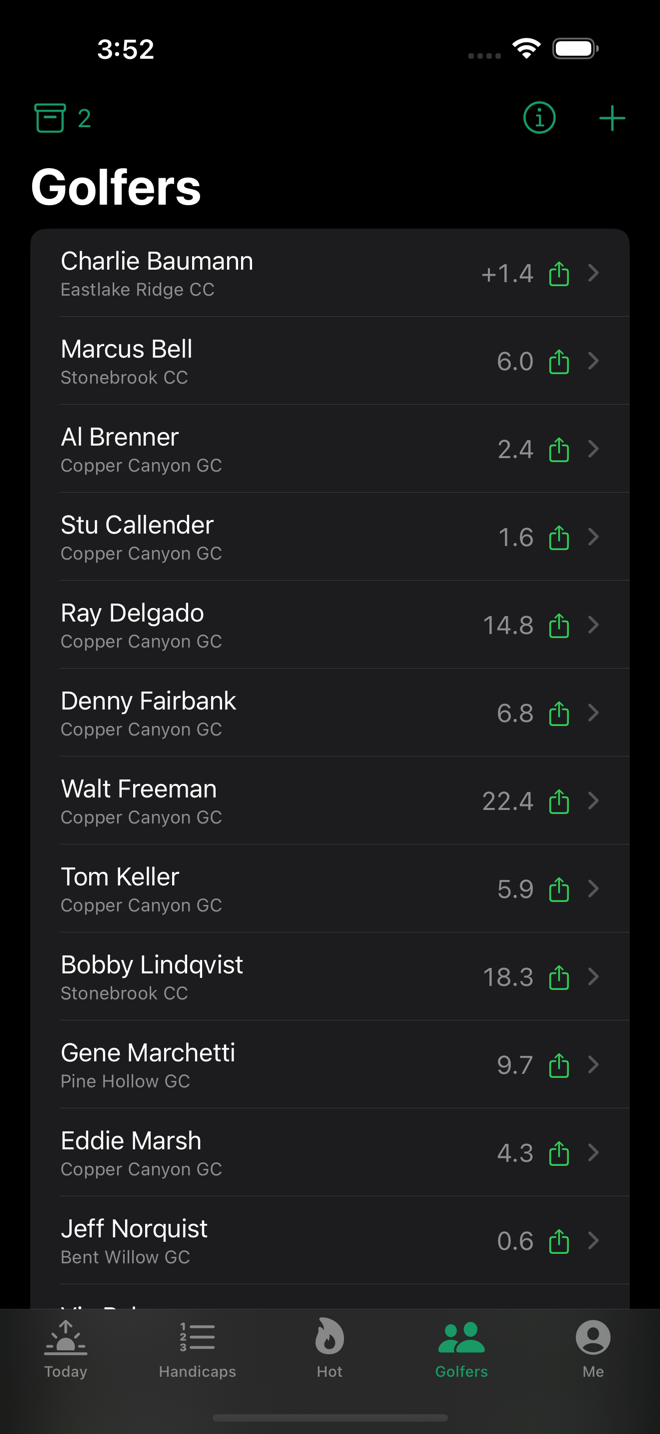
Contact info: only by your choice, never in bulk. Share All Golfers never includes emails or phone numbers, period. Share Favorites and single-golfer shares ask before sending whether to include them — and three things are worth being crystal clear about. The handicap system never provides contact info, so the only emails and phone numbers in SwingEasy Loop are ones you typed in yourself. Nothing you type is ever stored on a server — SwingEasy has no accounts and no servers, so contact info lives on your phone and travels only phone-to-phone, inside the link. And sharing it is entirely your discretion, twice over: you chose exactly who to share — your starred favorites, or one golfer by hand — and you chose to include their info; exactly like sharing a contact card from Apple Contacts. Include it and your friends can text each other’s great rounds straight from the app; skip it and only the golf data travels.
To receive: tap the link on an iPhone with SwingEasy Loop installed. The app opens, everyone is added, and their handicaps update automatically from then on. If a favorites list arrives with contact info included, golfers you already have get their missing numbers filled in — anything you typed yourself is never changed.
One tip — send it as an iMessage (blue bubble), not SMS (green). SMS is old-school carrier texting that breaks long messages into pieces, and your golfer list travels inside the link — a broken-up link means a broken list. iMessage sends over the internet, so the link arrives in one piece (and you get better photos, group chats, and reactions besides). Every iPhone has it: the receiver should check Settings → Messages and make sure the iMessage switch is on, like this —
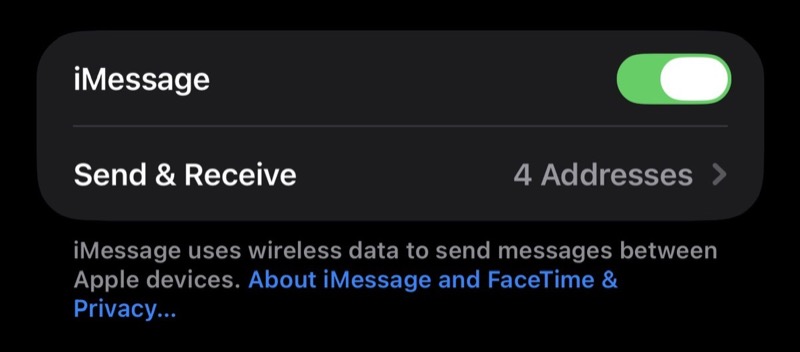
If a text to someone keeps showing green anyway, email the link instead — email never splits it.
Invite a friend
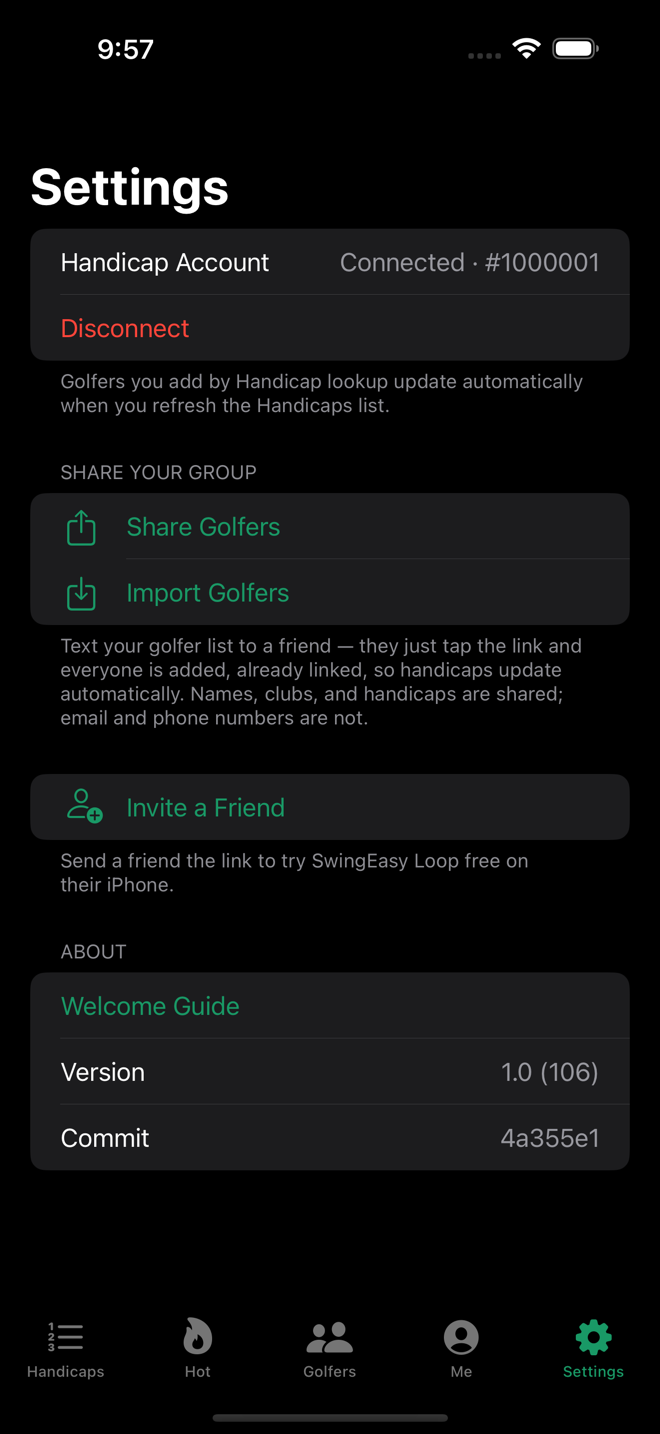
Know someone who’d like the app? One tap in Settings texts them a link to this page, where they can see what Loop does. When the app is available they’ll be on the Handicap Board in minutes.
Your own card
Your index big and bold with your 12-month low and career low right beside it, your recent scores, and exactly which rounds are counting toward your handicap right now.
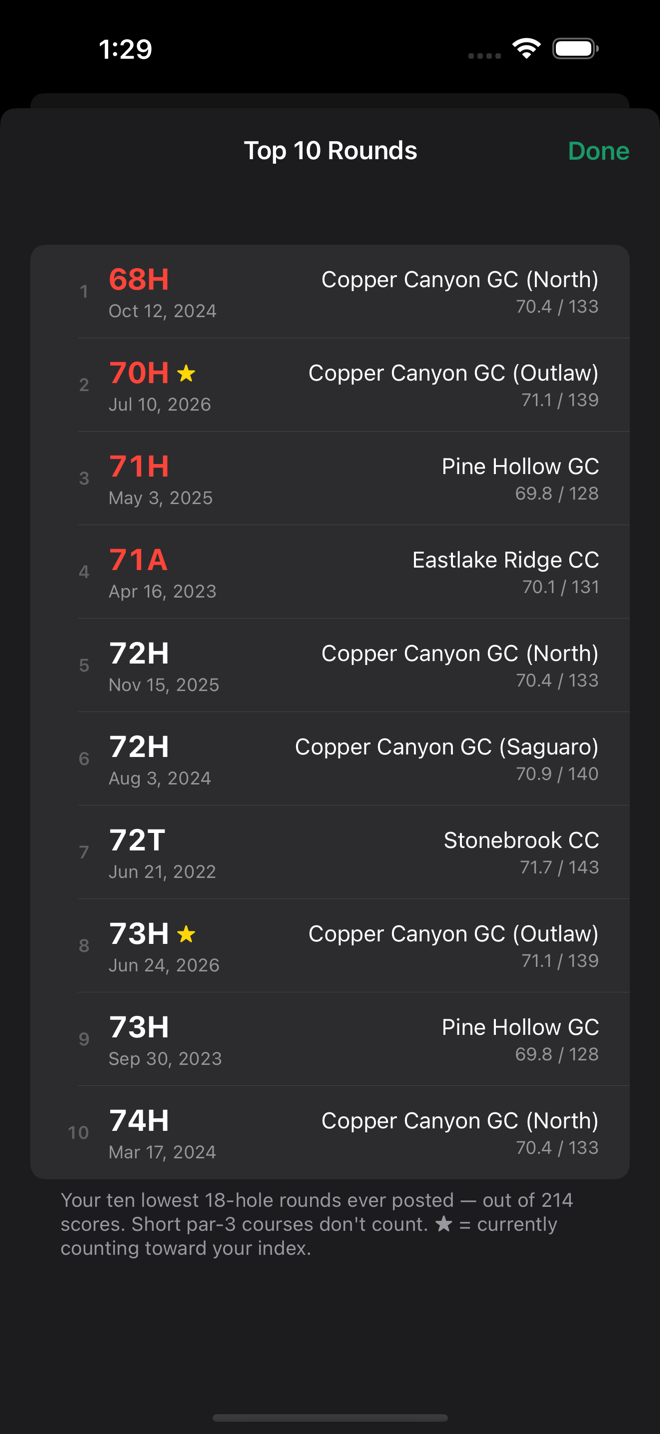
Your ten best rounds, ever
Tap the trophy on your card and see the ten lowest rounds you’ve ever posted — score, date, course, and the tee difficulty, with a star on any round still counting toward your index. The first look takes a few seconds while it reads your whole scoring record; after that it’s instant, and a new career round joins the list on its own.
Find golfers at your club who play to your handicap
Right at the top of your Handicap Board, tap Club Golfers and instantly see the members of your own club whose Handicap Index is closest to yours — the people you’d have a real match with. Your own handicap stays pinned at the top for reference, and you decide how close the field should be: anywhere from 1 to 5 strokes. The list comes back closest first and balanced — a few players a touch better than you, a few a touch below — so there’s always a game whether you want to be pushed or to be the favorite. It’s the fastest way to turn a roster of names into your next foursome.
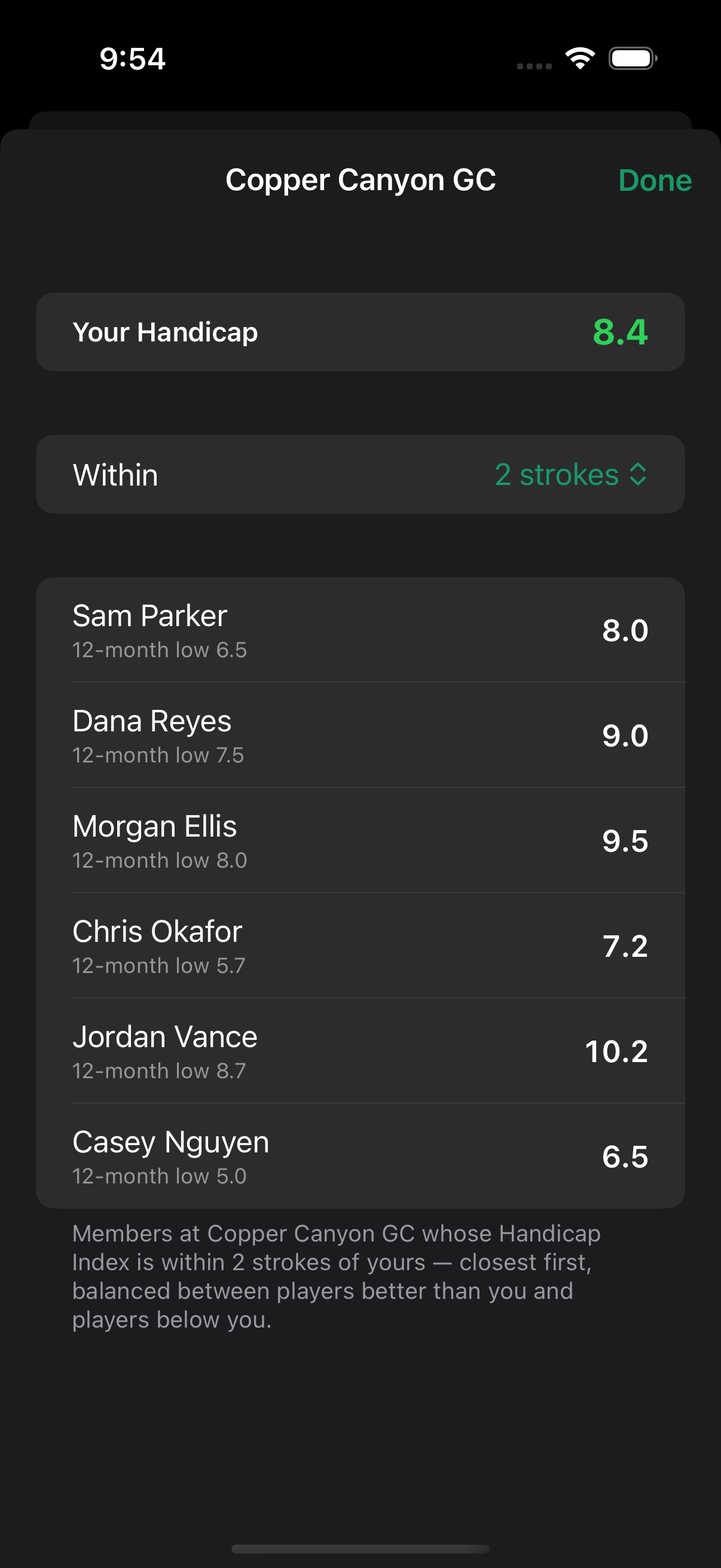
You’ll only ever see names and handicaps — never anyone’s contact details. Free shows the closest 25 members; Pro widens the field to the closest 100.
Scouting Report (Pro)
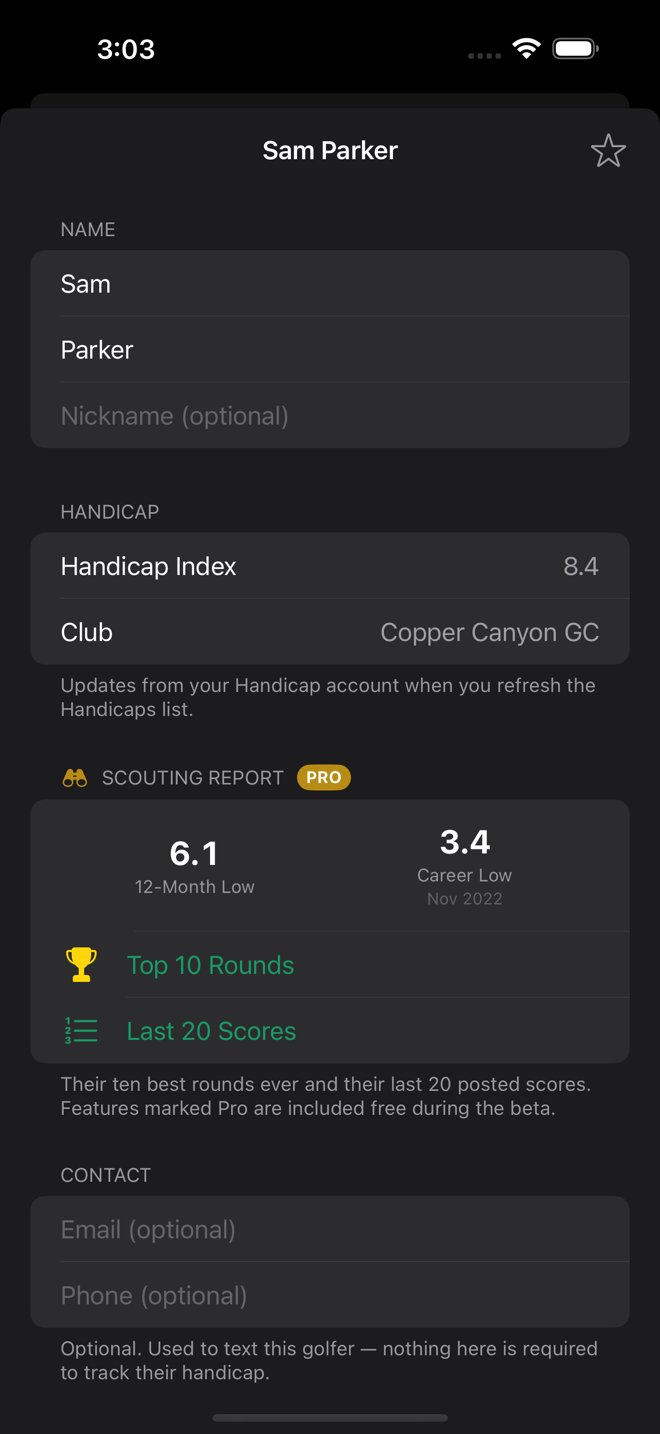
Know your opponent’s ceiling before the bets get made. Open any golfer in your group and their Scouting Report is waiting: the lowest Handicap Index they’ve held in the past 12 months, their career low and when they set it, their ten best rounds ever, and their last 20 posted scores — tap any round for the full story, exactly like your own.
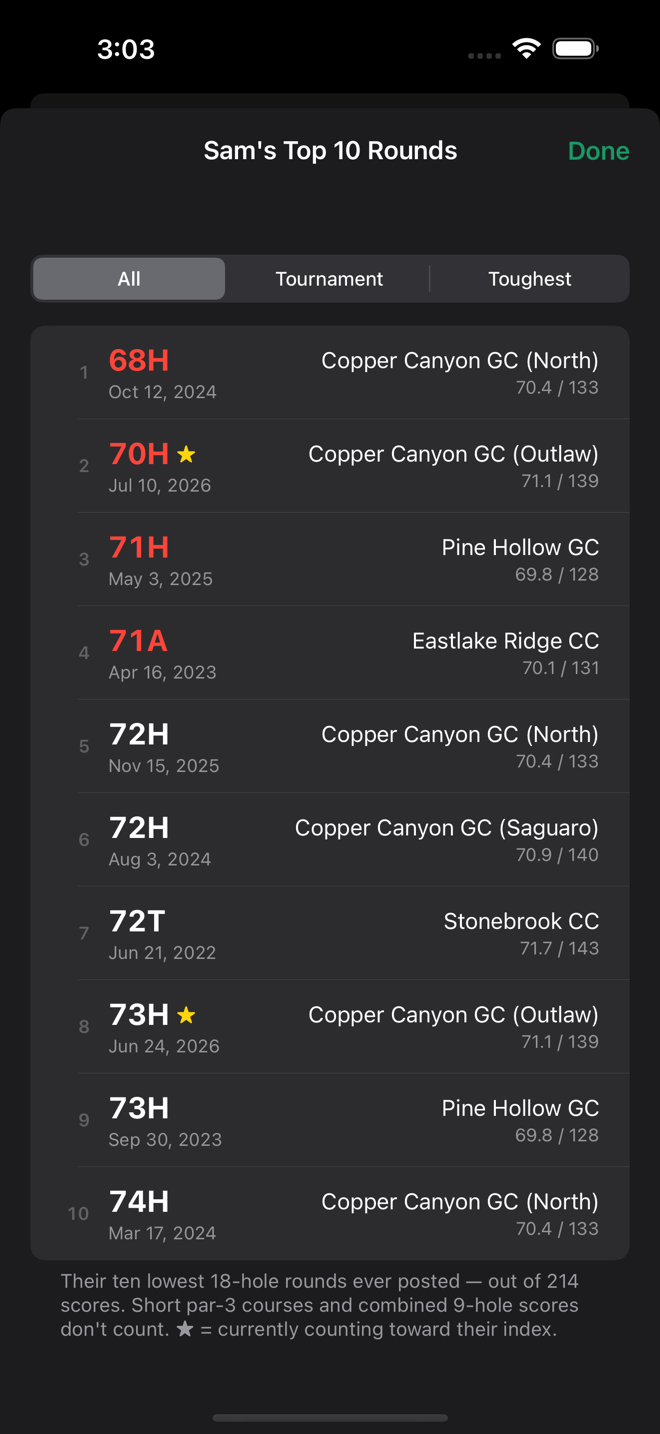
And the Top 10 shows three views of their best golf. All is their ten lowest rounds ever posted. Tournament is their ten best tournament rounds only. Toughest re-ranks their best rounds by how hard the course played that day — slope and rating, not just raw score — so a 71 on a brutal setup outranks a 69 on an easy one.
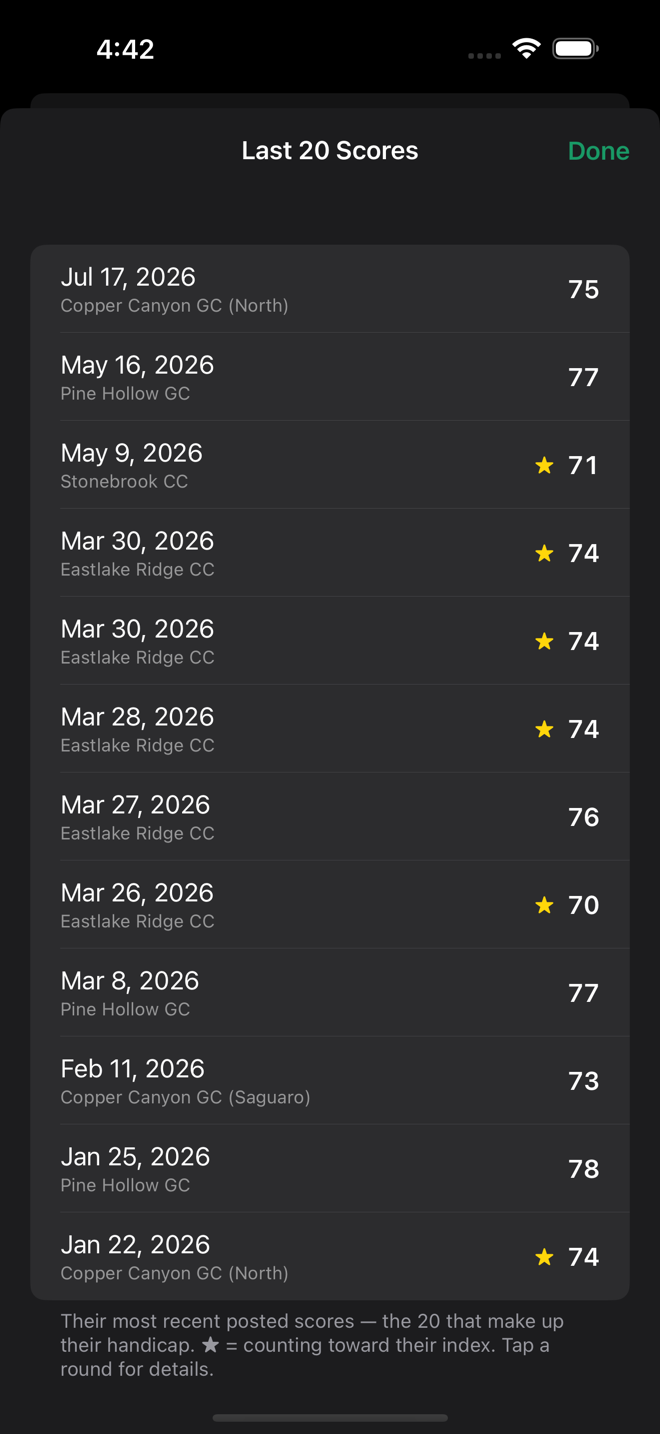
The Scouting Report is a Pro feature — look for the gold badge. When the app launches, Pro features will be part of a paid upgrade. Everything else on this page stays free.
Want this for your group? Loop isn’t available for download yet — see where things stand below.
Private by design
Everything lives on your phone. No accounts, no servers, no tracking. Your club account sign-in is stored only on your device, and is used only to look up golfers and handicaps. Read the privacy policy.
What you need
- iPhone from 2018 or newer, running iOS 17 or later
- iPhone only for now — no iPad or Android
- A club handicap account unlocks automatic updates; handicaps can also be entered by hand without one
Where things stand
SwingEasy Loop is in development. The TestFlight beta has ended and the app is not currently available for download.
Everything on this page is built and working. What’s left is the part that isn’t code: automatic handicap updates depend on official handicap data, and a released app needs the USGA’s authorization to use it. That approval runs through a formal application and review process, and it isn’t a quick one. Loop stays in development until it’s granted.
If you were in the beta, thank you — the app is a great deal better for it.